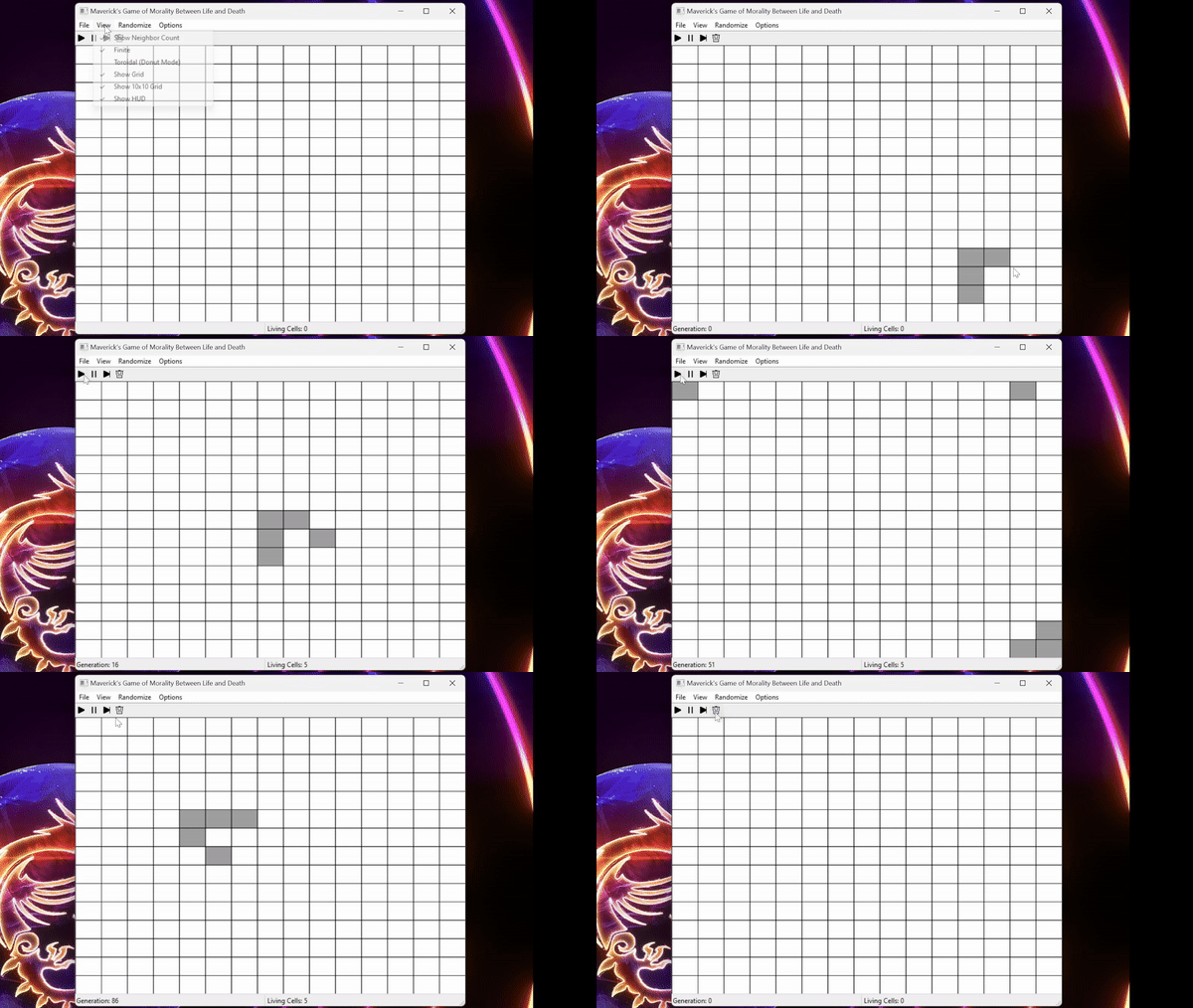
This month I’ve been focused heavily on class work, but it’s been extremely fun working on it! We’ve been making Conway’s Game of Life using wxWidgets in C++, and so far it feels like it’s coming along nicely!
It took a while for the game to take shape, but as soon as it did, we started adding extra features, such as Finite versus Toroidal space. Toroidal allows the cells to loop around the edges, and can sometimes be referred to as “Donut Mode” instead! Since making this gif, I’ve added many more options including two randomize options, making the settings save and load, and more!
I’m sure it’s old news for developers, but I’ve started working on a new project in my free time! This one is a Tower Defense game with extremely balanced stats so far, he said very sarcastically!
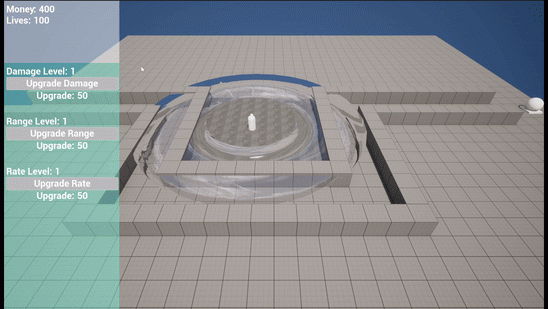
An important feature of any tower defense game is to build towers, and I have exactly that! I am planning on trying out a better system, but currently I am using a floor grid to simply spawn the tower in depending on which tower is selected, and not allow you to place two towers on the same spot.
Next, we have enemies and upgrades. These enemies spawn as waves, giving you a set amount of time until the next wave of enemies begin spawning. On top of that, they gradually get more difficult over time to make sure there is a need to upgrade your towers over time! The aforementioned upgrades allow you to increase the damage, range, and rate stats of the selected tower. There is a major need for balancing, but for testing purposes these are all functional.
Going into winter break I’ve barely even looked at my own projects, as I’ve been working on class work instead. That being said I did manage to add the absolute basics of an enemy encounter in my Text-Based Roguelike game! On top of that, winter break means I should have plenty of time to work on my own projects for the next few weeks!
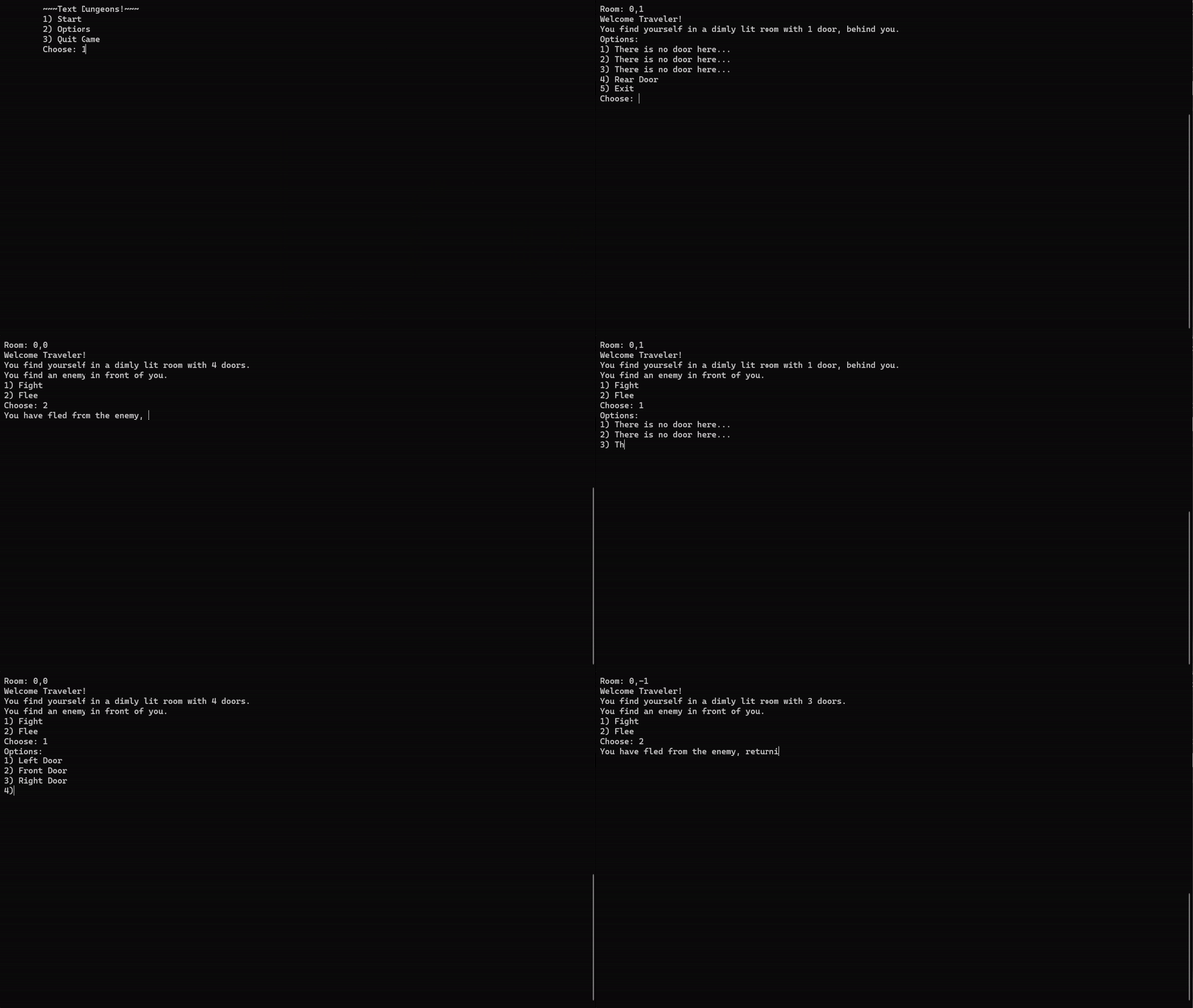
When you arrive in a room that has an enemy, which is currently always true for testing, you are prompted to fight or flee. Choosing flee will rotate you 180 degrees and send you right back through the door to the previous room. Choosing fight will start the challenge, or so I have planned! Currently, there is no true enemy, and you simply continue to the normal room movement options.
I’ve been so busy with class this week that I haven’t even touched my Roguelike project. That being said, I’ve been learning a lot in this class! Most recent lecture and lab were on Linked Lists! I learned to take a list and either add an item to the front or back, and to erase an item from any location or even clear the entire list.
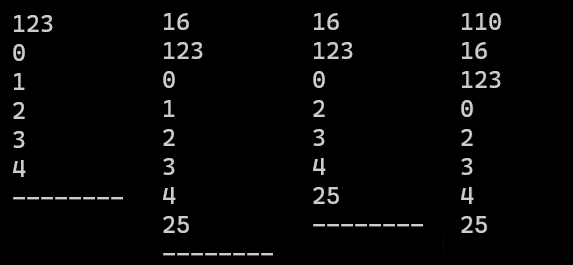
As you can see here, I have a few examples. First, I populated a list with 0-4 and pushed 123 to the front. Next, I pushed 16 to the front and 25 to the back. After that, I removed the 3rd item, “1”, to finally return to pushing 110 to the front. I did not show clear as an example however, as it would simply be a back background with no numbers!
This has been a very busy week, so I was unable to find time to work on the Roguelike during the week, however I did work on it right after last week’s post, getting the overhaul I previously mentioned fully finished!
However, this was a massive change! I completely re-wrote the entirety of my room generation, deleted the old rooms I had to create a single room that replaced all the old rooms on its own. With that, I was able to correctly adjust the character’s rotation, allowing you to move through rooms in a way that moving forward doesn’t always mean north. This can cause confusion, I’m sure, but once I add more details, such as random items, rooms will be more unique and easier to traverse. For now, I’ve added the room coordinates to the top to help traverse for testing purposes.
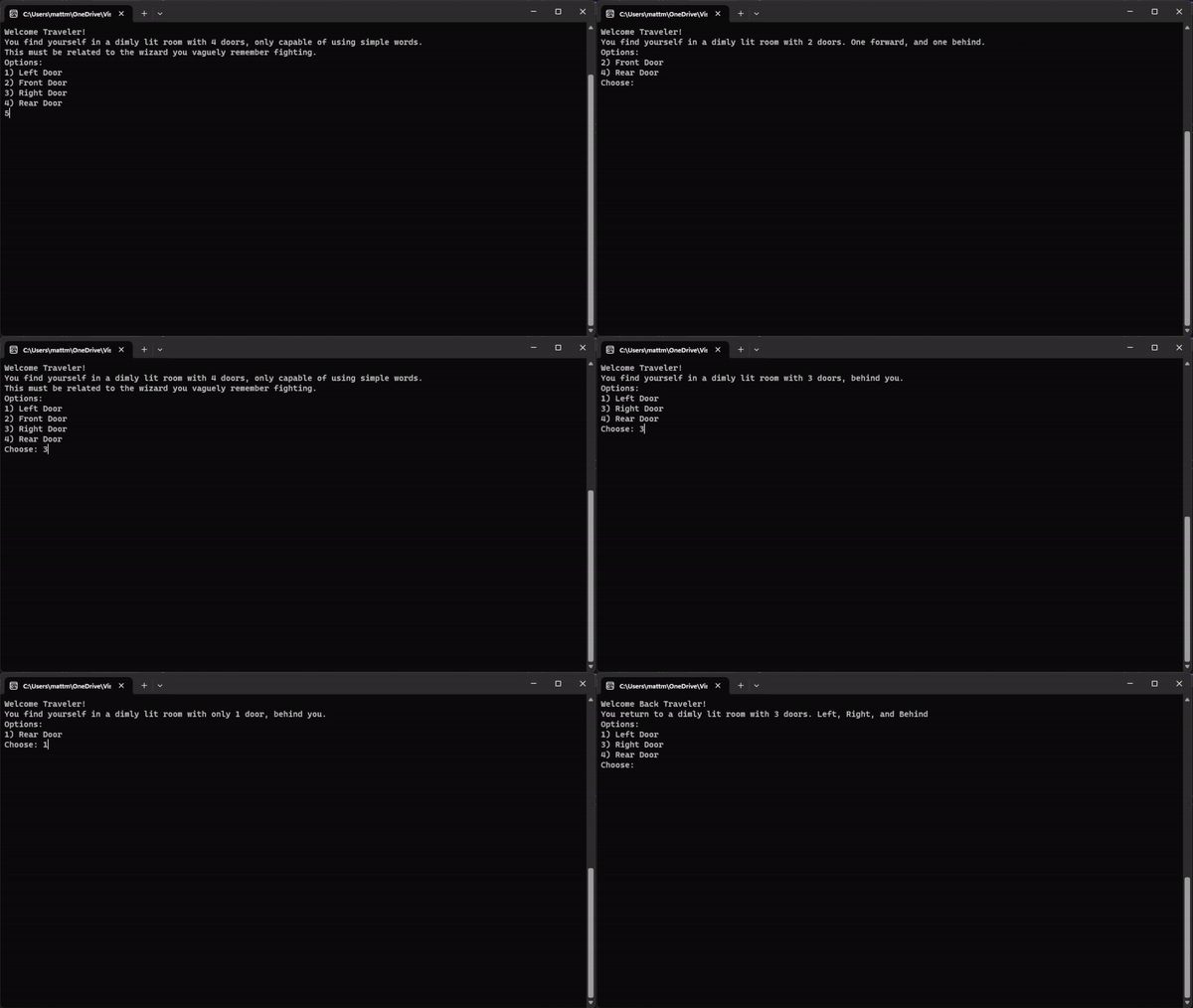
Happy Thanksgiving readers! I’ve been spending this time playing around with ideas to practice my C++ skills, and I thought why not build a Text-Based Roguelike game? So far what I have is very basic, but I have some ideas to improve it by making each room more disconnected, making it easier to move from one room to another whilst keeping track of where you are.
Step one is being able to move from room to room. This step, however, may have to be completely rewritten, as I have an idea to keep the rooms connected but separate, as right now if you return to an old room it doesn’t treat it completely correctly. Currently if you return to a 2 door room from the wrong direction it can lead to you walking into rooms the wrong way.
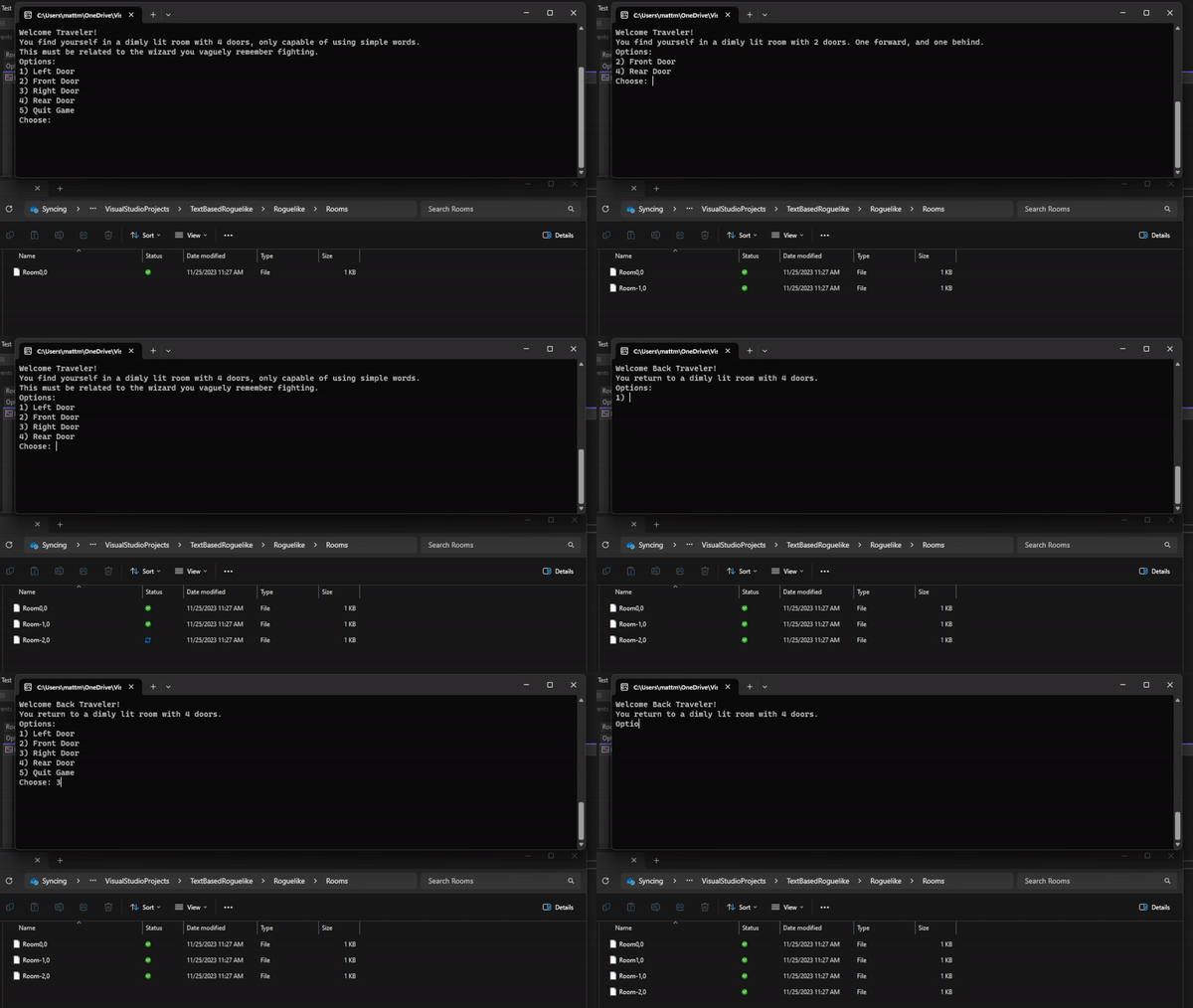
Next, the filing system. I took inspiration from Minecraft based on their chunk loading system using the coordinates of the room to be able to easily return based on where you are. So far this has worked well enough, but I will need to change what information is stored within these files, partially as the game evolves and partially as I change how the room to room movement functions. Overall this has been an amazing learning experience, however!
Going to school for Game Development doesn’t always mean working in Unreal Engine. In fact, all of what I’ve been doing in this blog so far was extracurricular development to become more familiar with Unreal Engine before classes start using it. Mostly, I’ve gone through core classes including Calculus and Discrete Math. These past two months, however, were Programming 1 and 2 in C++ and I’ve learned lots, even given my background knowledge in programming in general. These skills come in handy, but in ways you wouldn’t expect a lot of times.
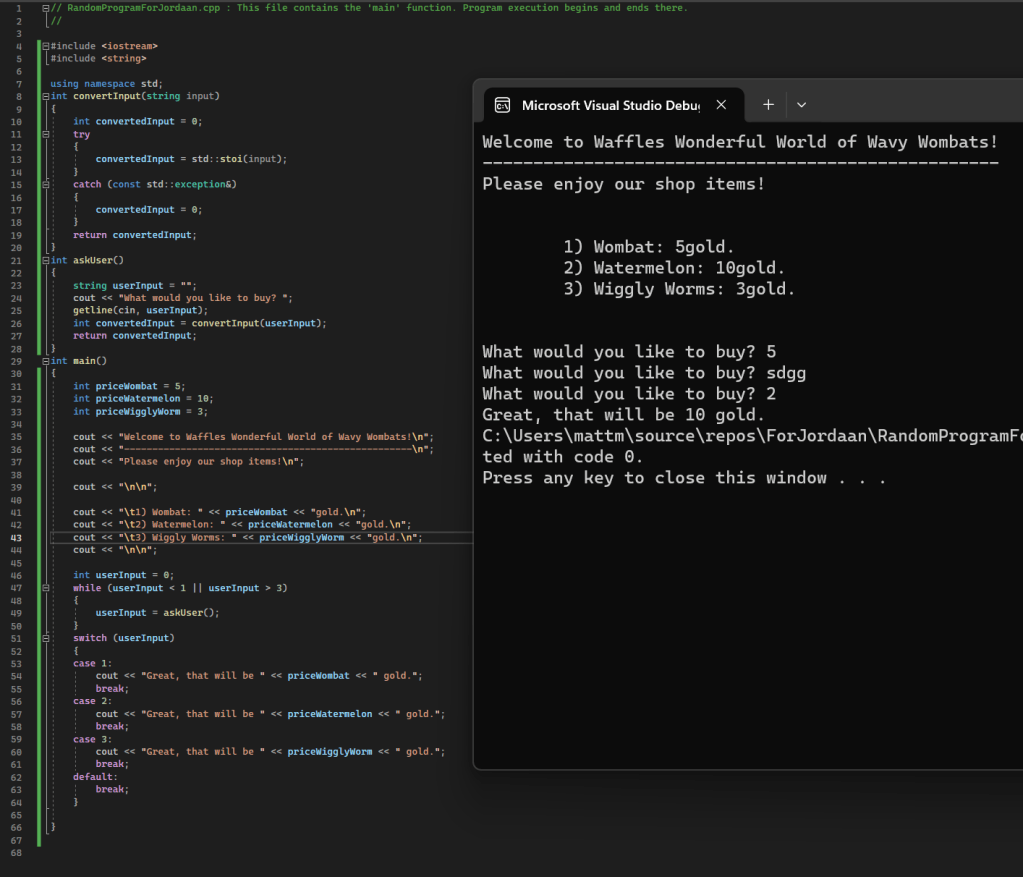
My cousin asked me for some quick sample code for a marketing assignment he had, and my first thought was simply, “What could I build quickly that is fully functional?” I remembered making a shop in an optional challenge in Programming 1 and decided to rebuild a quick easy version of that shop for him with a fun name because it sounded silly! Now, I’ll be the first to admit there are issues in this code. However, I made it in like 15 minutes, and I had to keep it all in a single class with a couple methods so I could easily take a screenshot of the entirety of the code, as opposed to multiple screenshots.
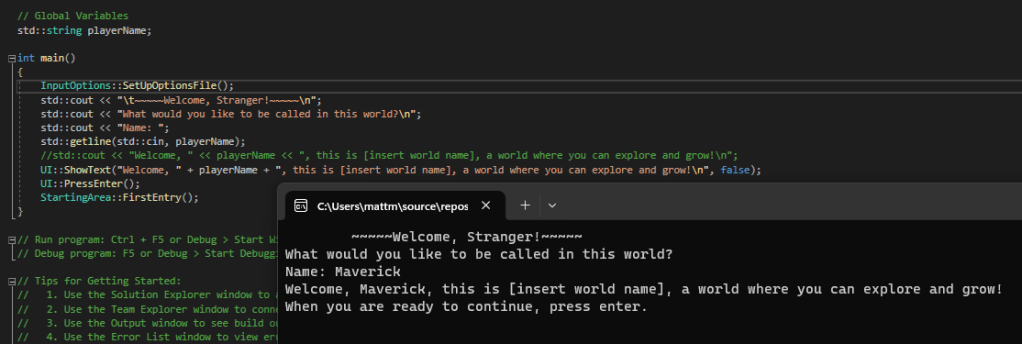
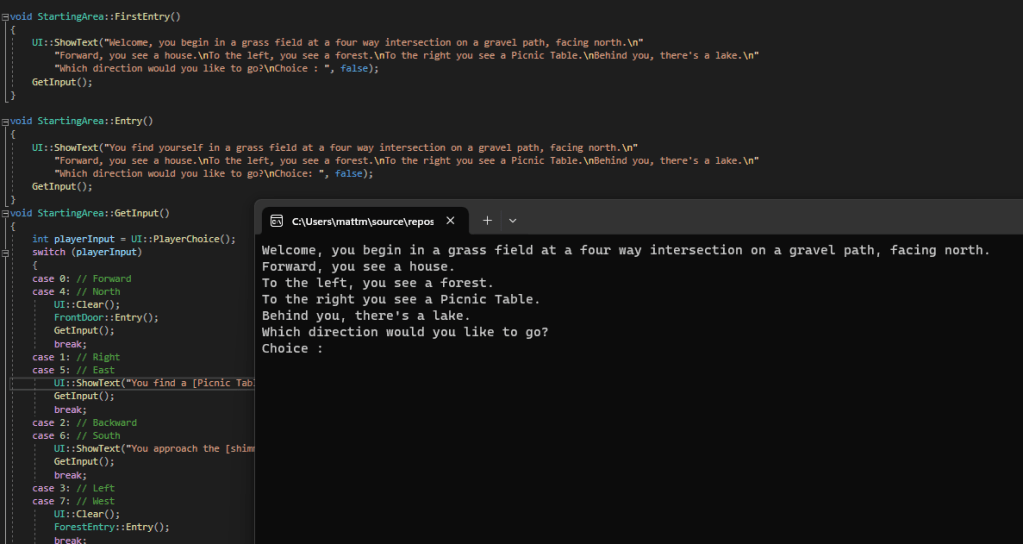
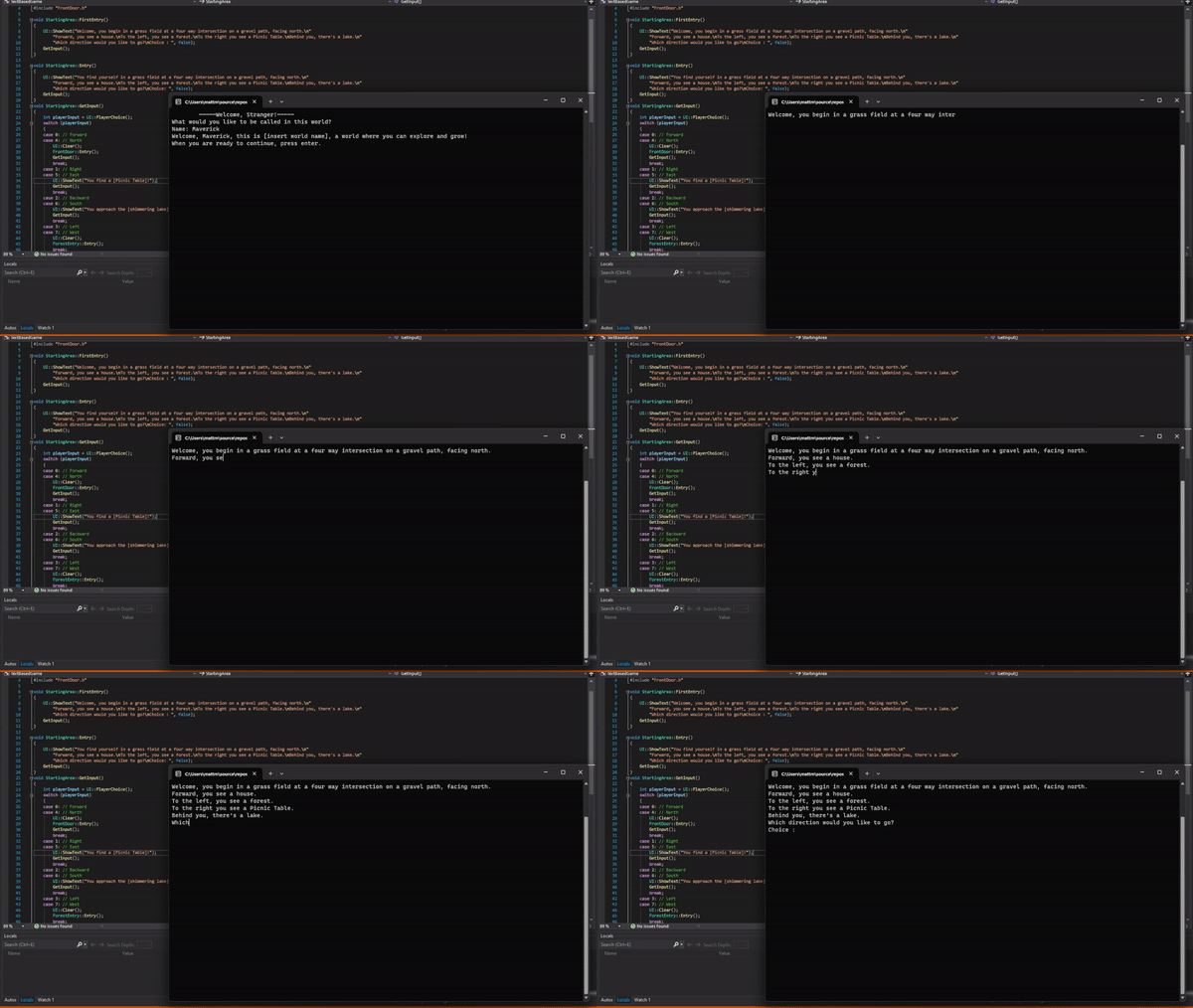
That reminded me of the text-based game most people know, called Zork, which was also re-created within Call of Duty: Black Ops. I figured it would be good for coding practice, so I started typing. First getting the player name and introducing them to the world, and then giving them a moment before throwing them in, by using the enter key to officially start playing.
I’ve created two basic areas so far with the grass field being the first area you enter. From there, you can choose what direction to venture toward to create your own story! However the forest entry and the front door of the house are the only areas I have created thus far, so for now it is very limited.
Something we learned in Programming 1 was how to create a time-based display, similar to Pokémon, which I absolutely love using, so I added that to give the player a feeling of fluidity in the text, as opposed to all the text popping up on the screen immediately, with no real transitions.
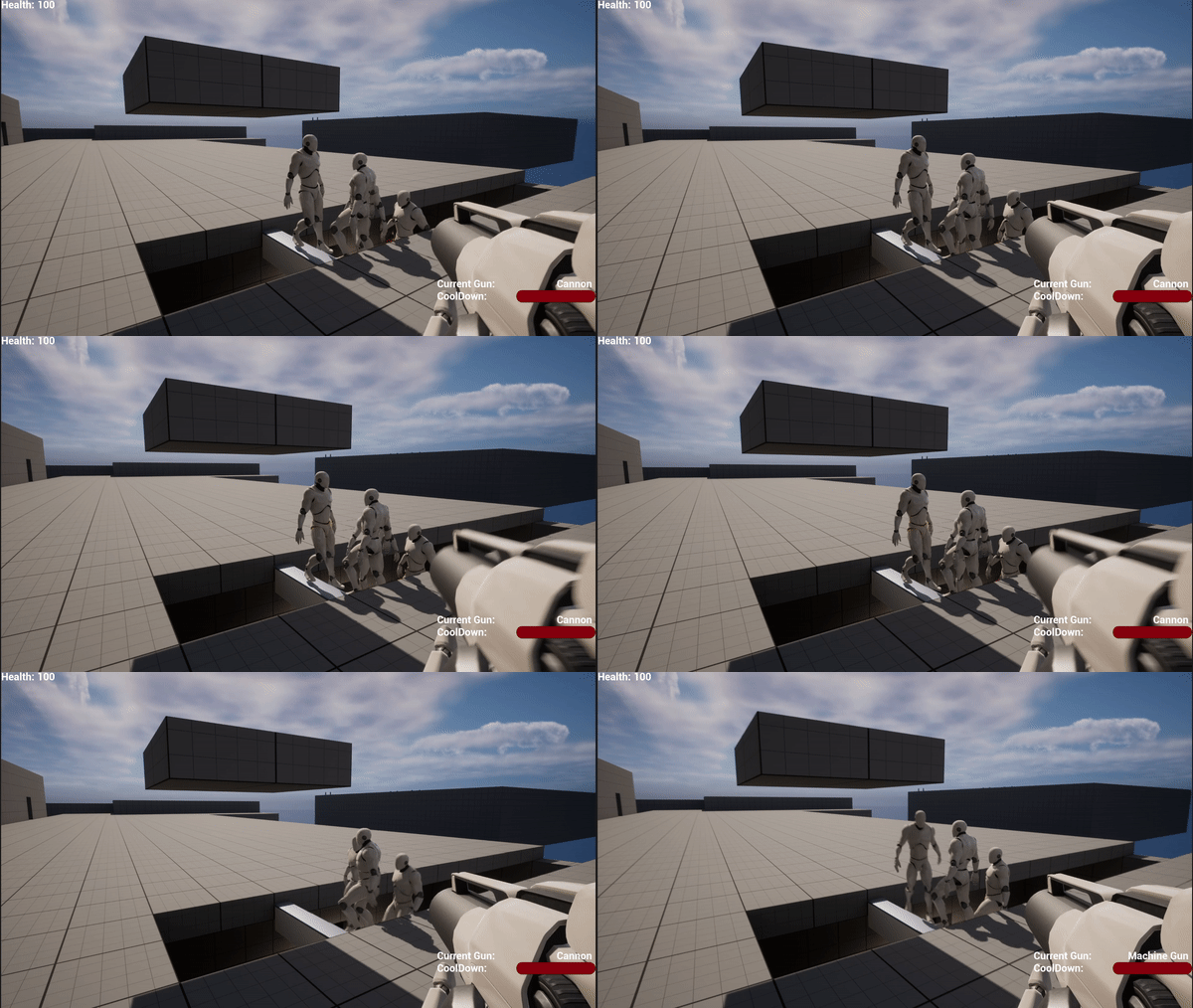
This week I’ve been quite busy, but I still managed to work on one section of this game, the weapons! Firstly, we have the default weapon that comes with the First-Person Template, which I called Cannon. This is a very low cool down rate, allowing you to click quickly enough to shoot at a rapid rate.
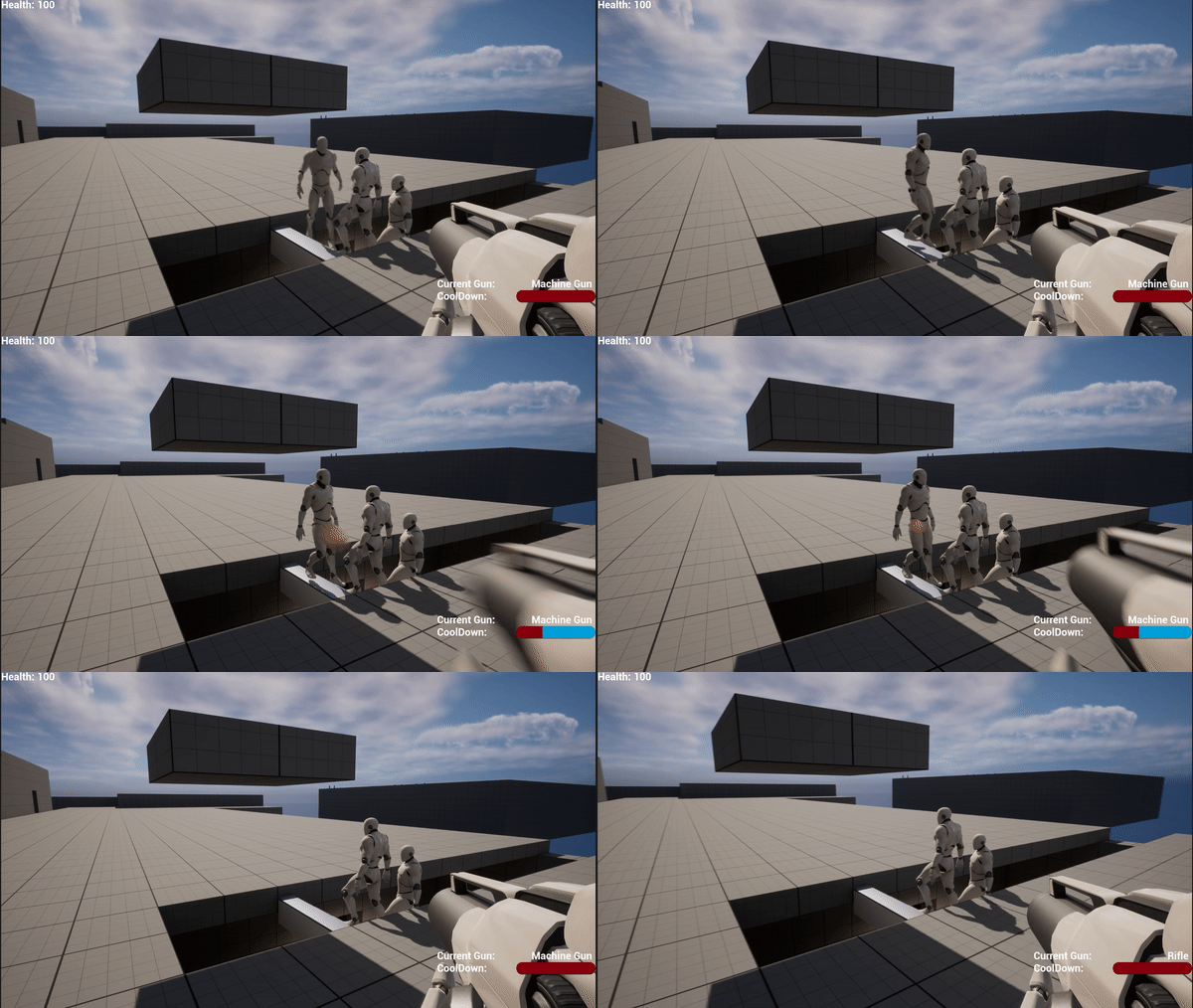
Secondly, we have what could be called a Machine Gun, an Assault Rifle, or many more names. The cool down rate is a bit slower on this weapon, however you can click and hold to fire, as it’s a fully automatic weapon.
Thirdly, we have a Rifle. This rifle has a much slower cool down rate, much like a bolt action rifle. However, it’s much more powerful to make up for that. With the Cannon and Machine Gun dealing a single damage per shot, taking five shots to kill an enemy, this Rifle deals five damage, taking only one shot to kill the enemy. On top of all of this, I made a bonus feature for testing.
This bonus feature is the cool down bar at the bottom right of the screen. I originally made these exact gifs without that bar and thought it would be better to show the difference in a more visual manner, and thus the cool down bar was created. This bar can be used for more than just the weapons, in the long run, but for now are perfect for testing the current weapons.
This week I’ve been working less on the functionality, and more on a map to play around on. This being said, that’s not to say I didn’t work on functionality at all! I have two major updates for this week’s blog post!
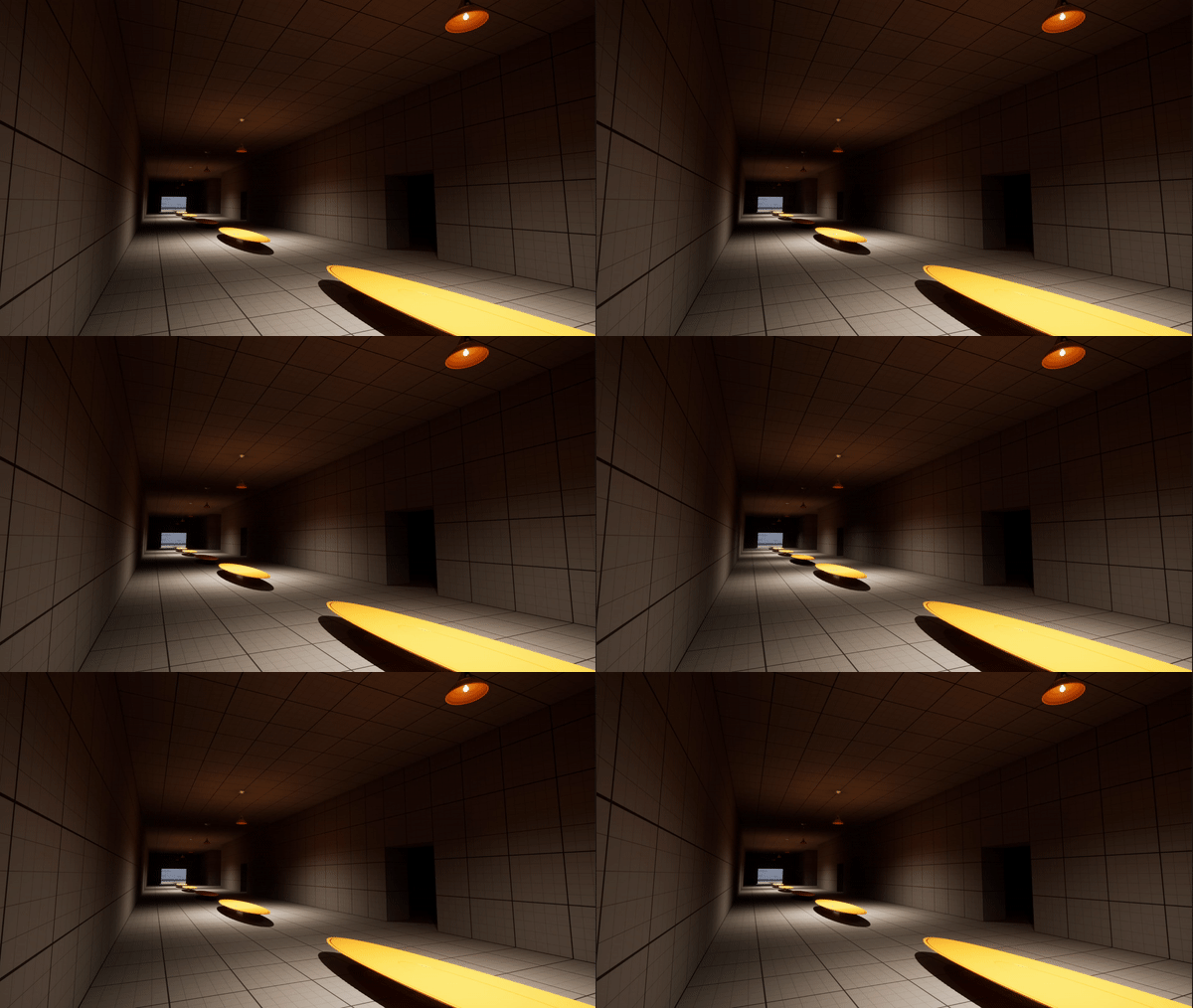
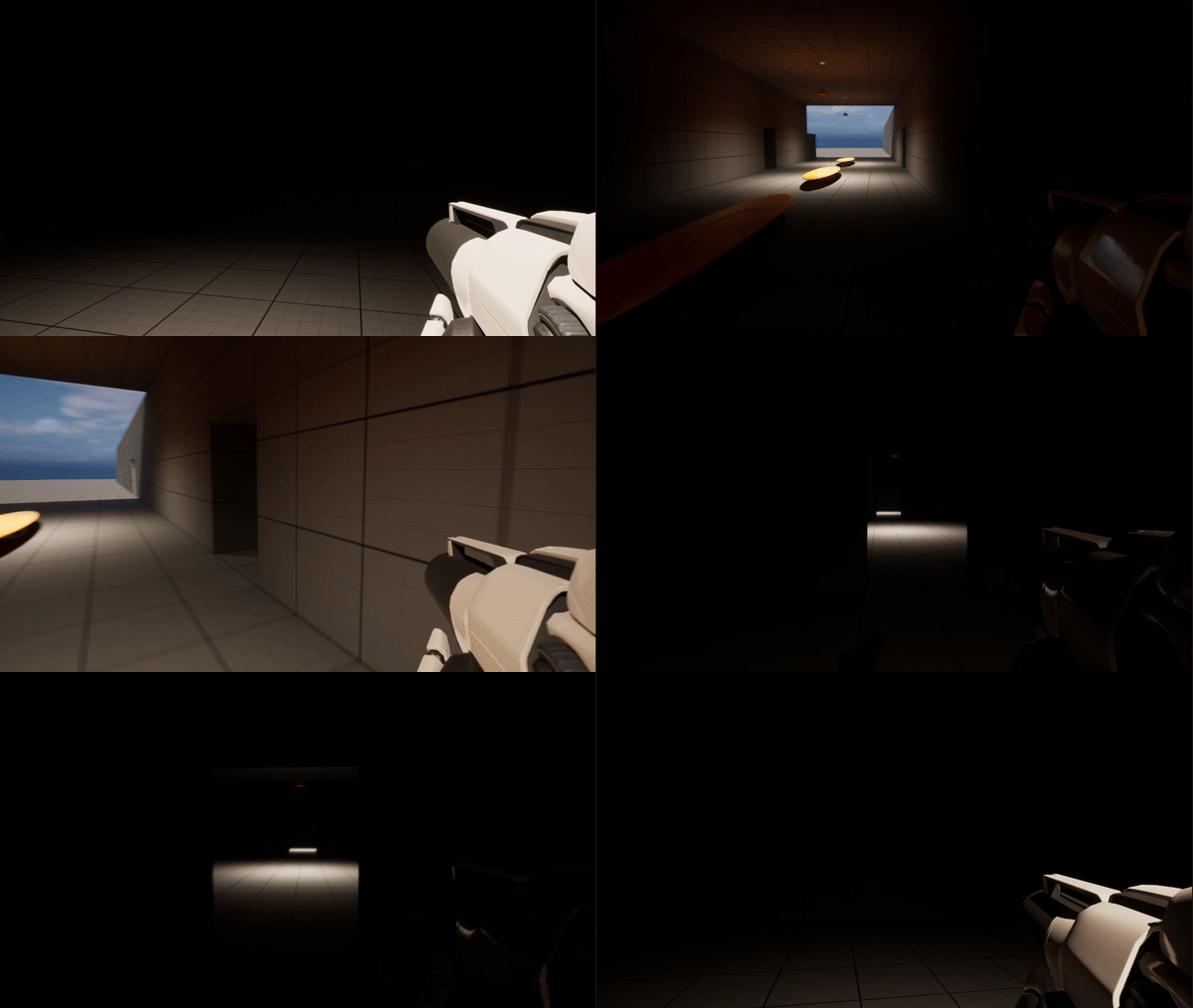
As for map design, I’m focusing on the concept of a creepy school. This idea came by part from Phasmophobia, and by part from a dream I had many years ago, of which I have directly modeled the first hallway based off that dream, though using only the Unreal Starter Content.
Next, I began to work on the non-euclidean geometry, a feature I absolutely love about many games, such as Anti-Chamber, or Layers of Fear! As you walk through one door, you end up in a room you were not expecting! Then, as you try to go back you end up in a DIFFERENT room, making the map more and more confusing for each layer of room swap!
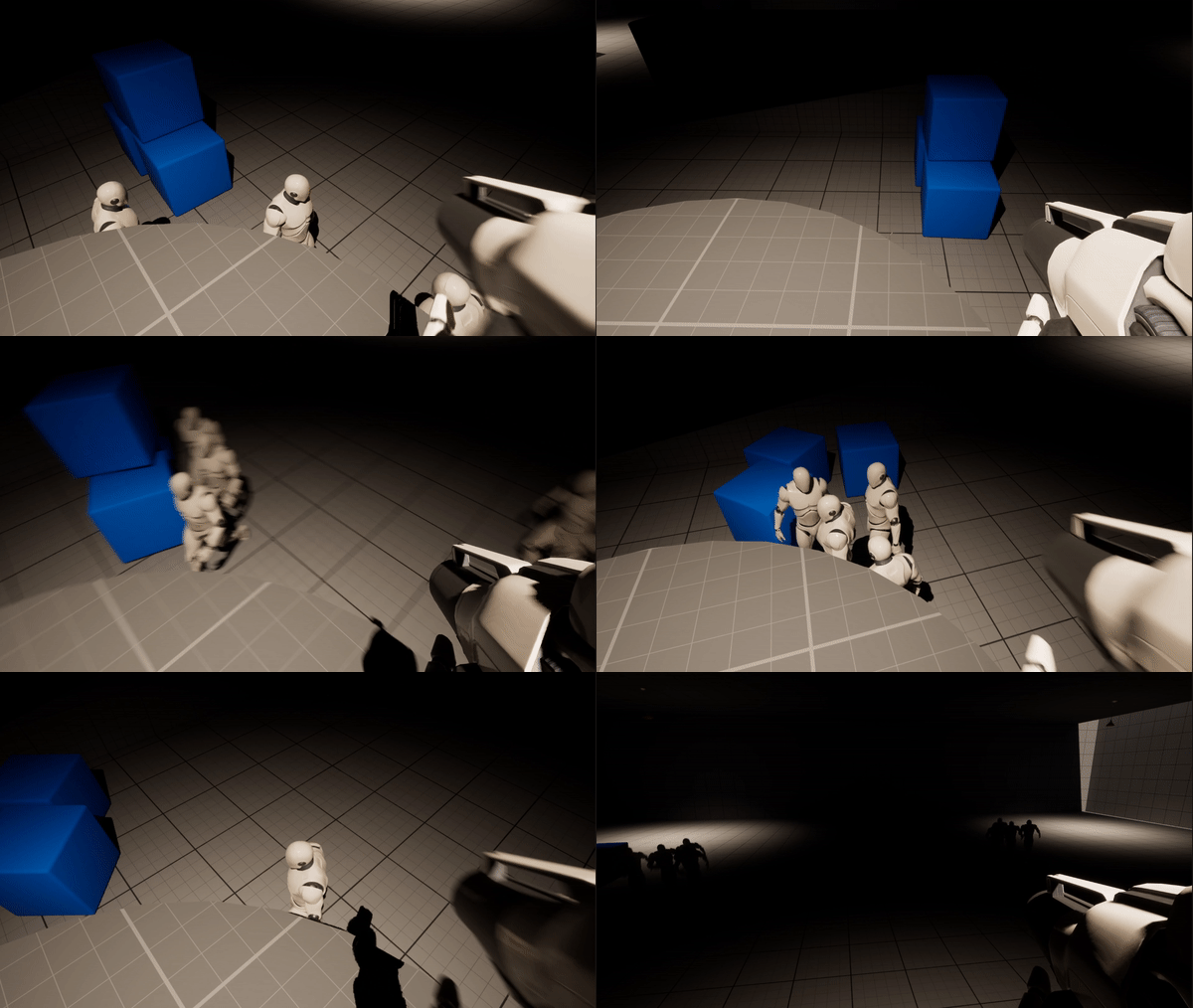
This last week I’ve been playing around with some more ideas, which include learning how to add some basic AI to an NPC to chase after you, how to kill them with bullets, and more!
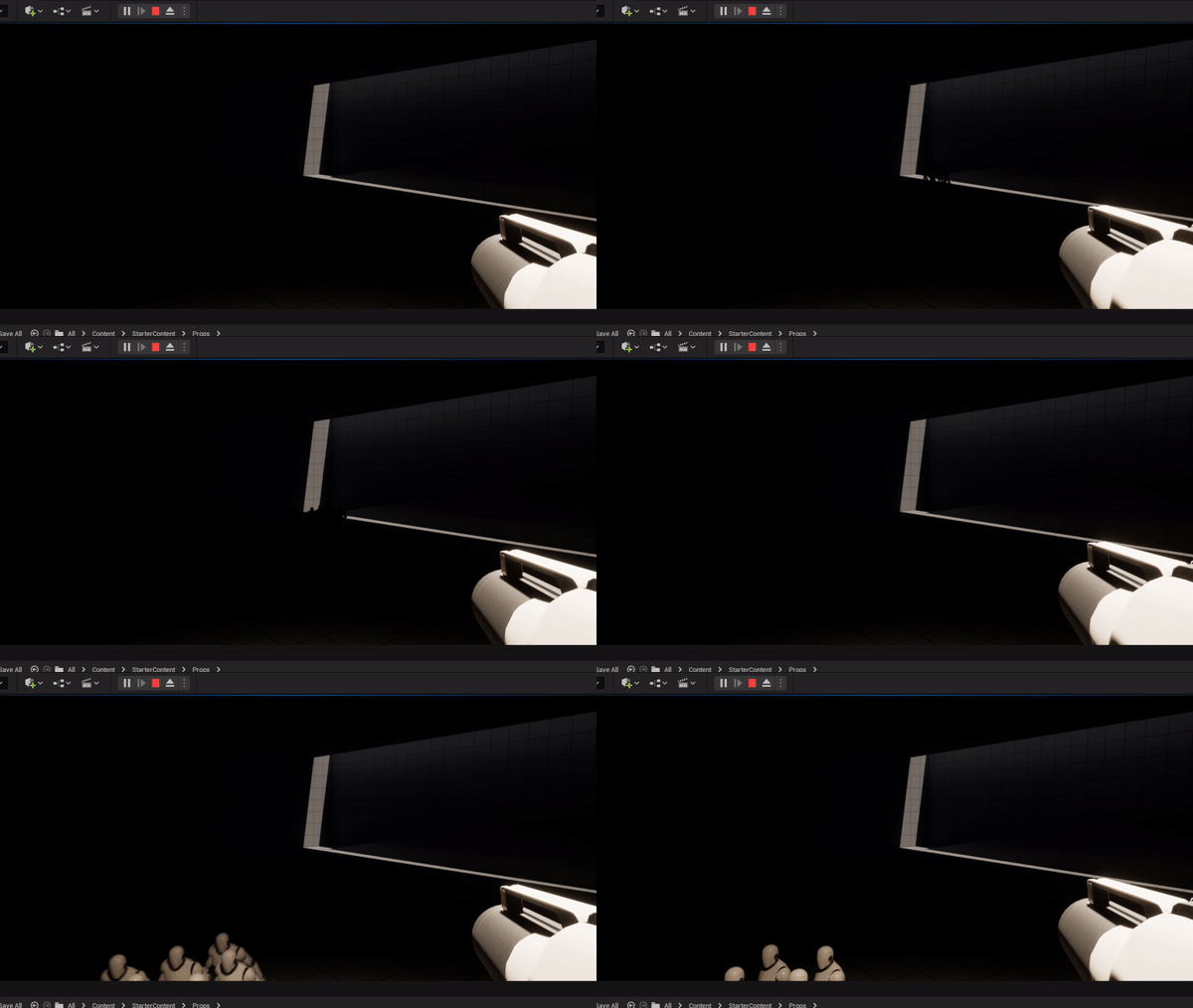
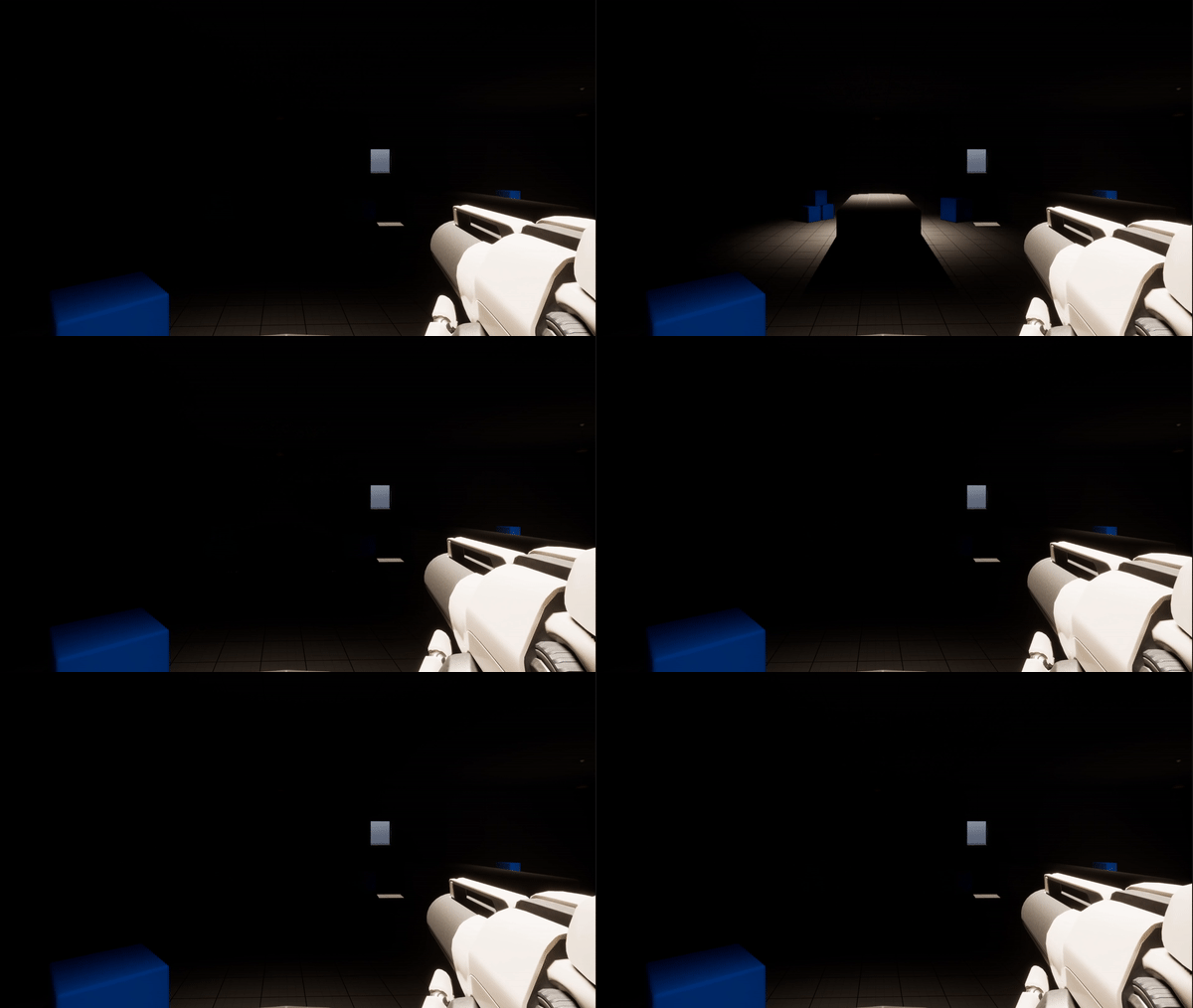
Firstly, I learned how to make NPC’s that chase after you, and then by accident I made the map slightly spooky through lighting, or lack thereof!
Once I had that figured out, I started playing with the idea of flickering lights, using a random interval within a specified range to make it look a bit more natural as a broken, flickering light would be.
Lastly, I worked on a very important feature, waves! Now, more NPC’s do not spawn until after you have killed all the currently spawned ones. On top of that, each wave they increase in health making it more difficult over time!



 Maverick Learns