This lesson was a doozy! Only, though, from complete fault of my own. I learned all about inheritance, and how it can affect objects, and how to use it. My project has gained some major differences from the project in the tutorial, as I’ve shown in the past. For started, the text falls down off the screen, which was a challenge in the tutorial, not a long-term change, but I kept it. Another is changing the timer on the textboxes to show how long until they hit the bottom, instead of being a deletion timer. That being said, I pressed onward, trying to understand and adjust for the differences between his scripts and mine. The point of today’s lesson was to show how you can create a child variant that inherits properties from the parent object, while having some differences. This all fell apart, however, when I had to find a way to take the changes he made and make them work for the scripts that I had written. Again, understanding and adjusting!
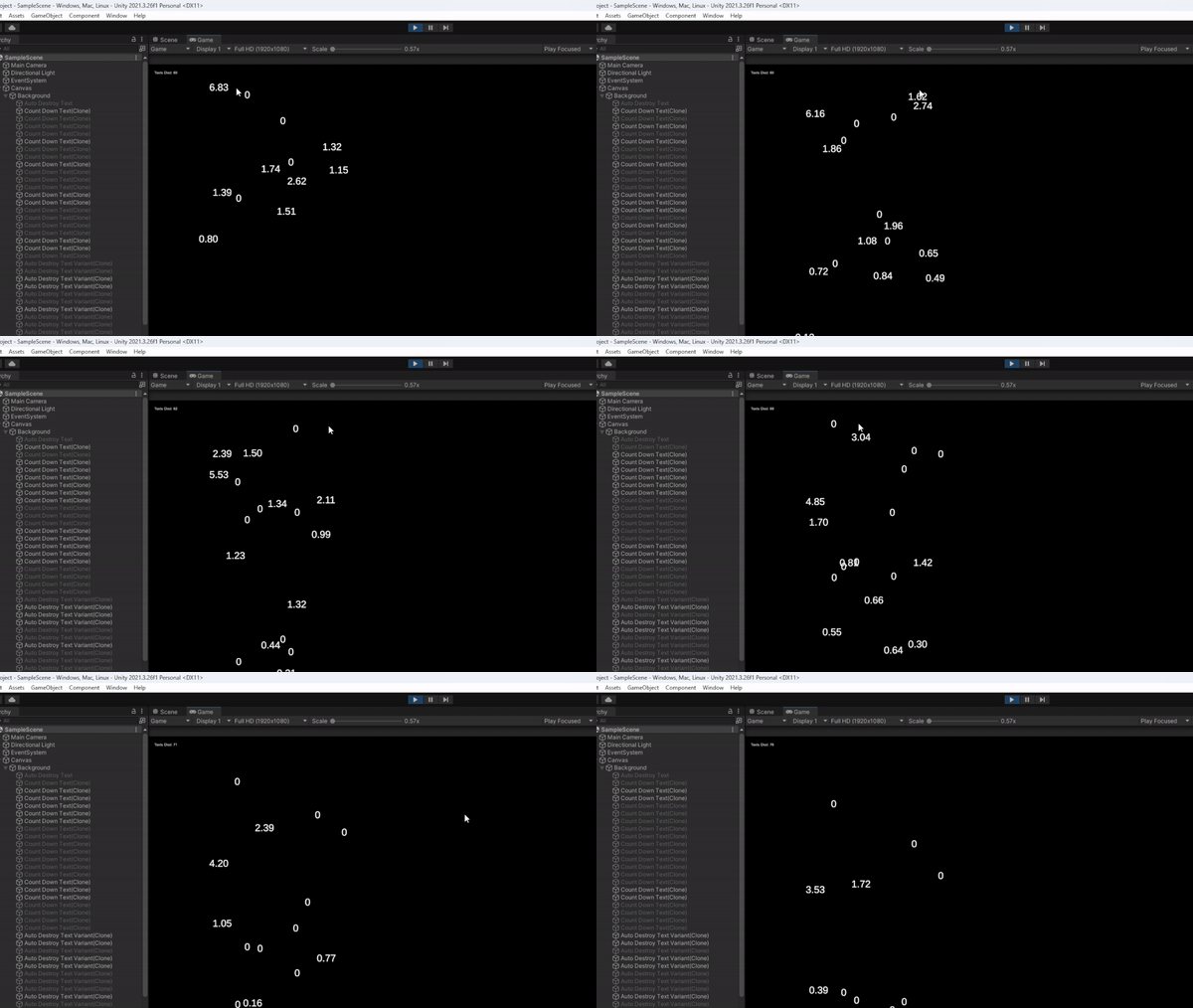
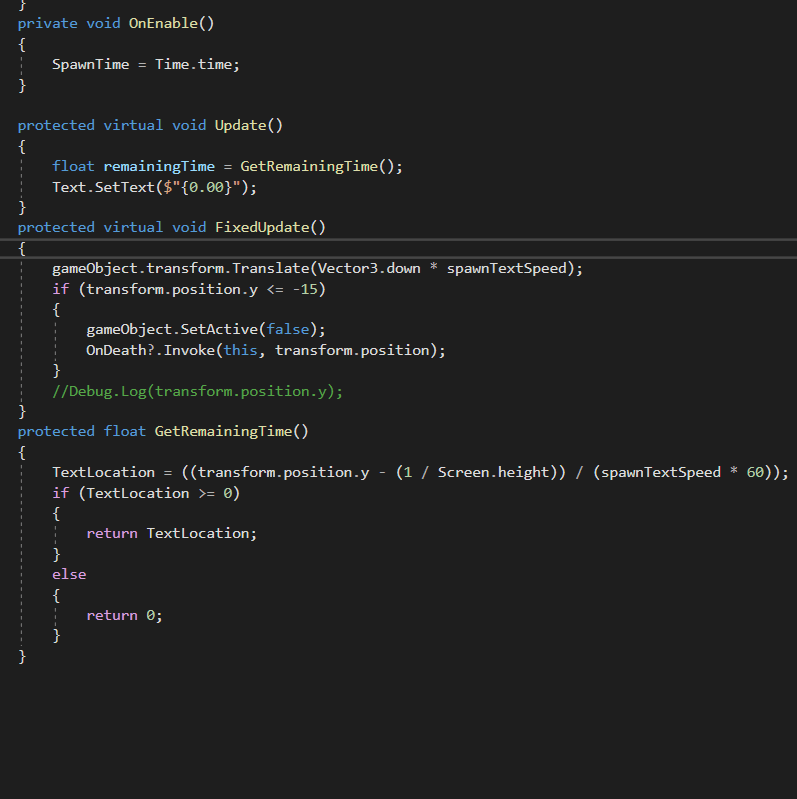
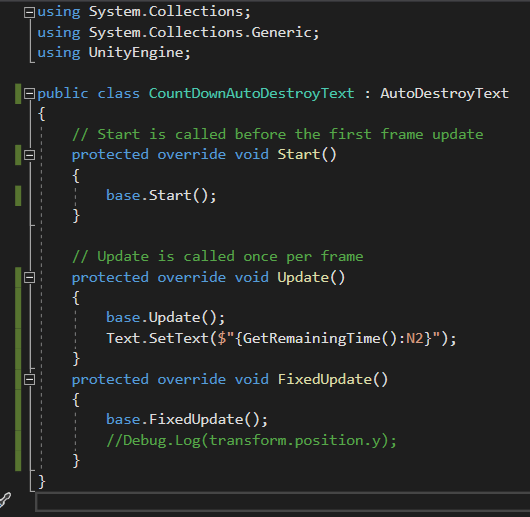
I managed to get it working! As you’ll notice, some have timers as they have before, and some have the number 0. The variants will simply count down as usual, while the parent object keeps the number at 0 the entire time. In terms of a video game, the textboxes that say 0 could be the base enemy object, while the textboxes with the timers could be an enemy with a weapon. That, however, is this videos challenge, so you may see that concept in a future blog post. As you can see, I cleaned up my script, removing pieces that were written with the old design and function in effect. Also, I learned the purpose of Protected Virtual and Override in this script. PV in the parent object’s script allows the variant’s script to read and mimic this code in the parent object’s script. PO allows the variant object to follow an altered behavior.
 Maverick Learns