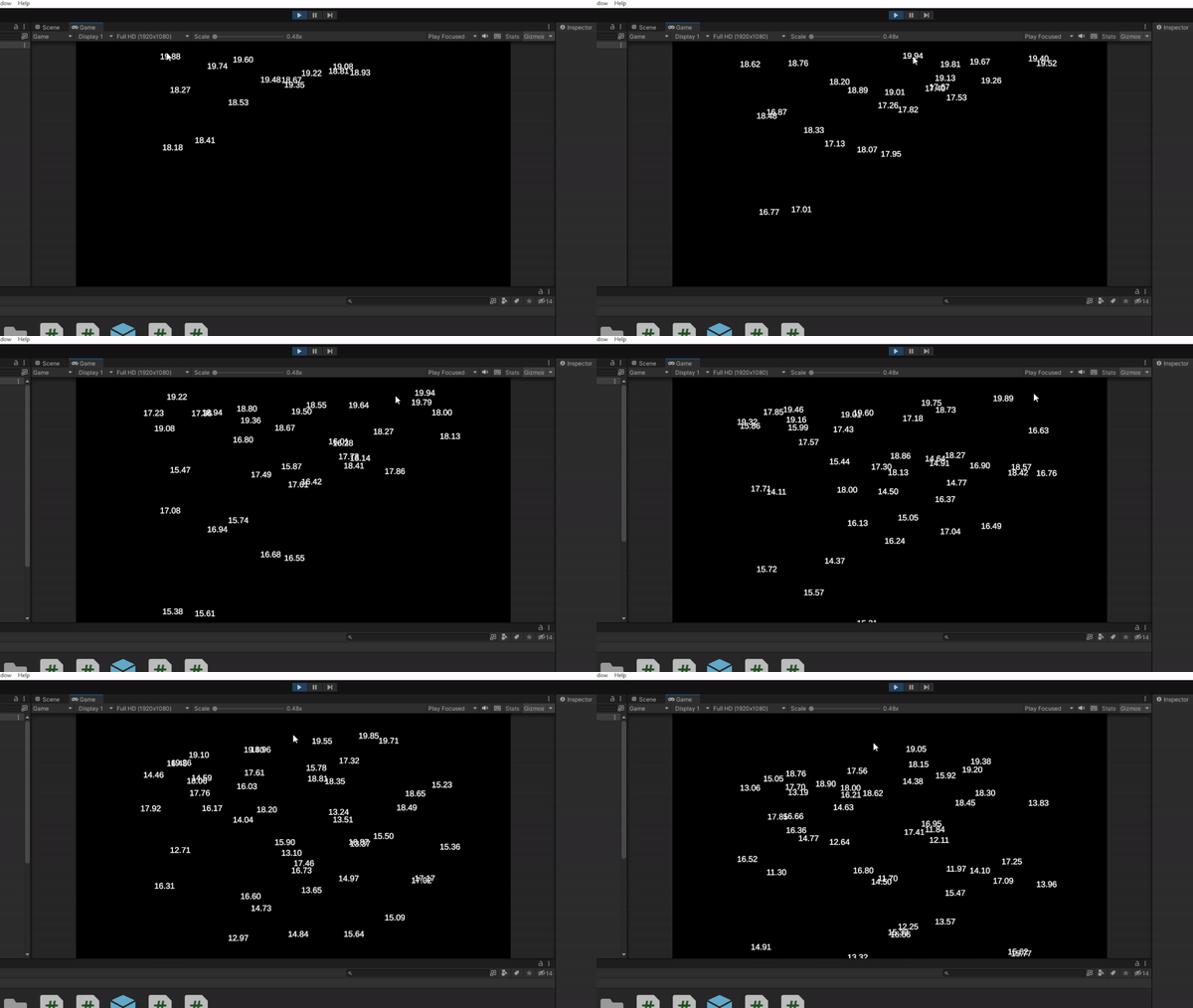
Today was an exciting day in learning programming! Not just did I learn how to create and destroy objects, I also learned how to give them motion when they are created, and how to register when the mouse is click, to create them at the mouse’s location!
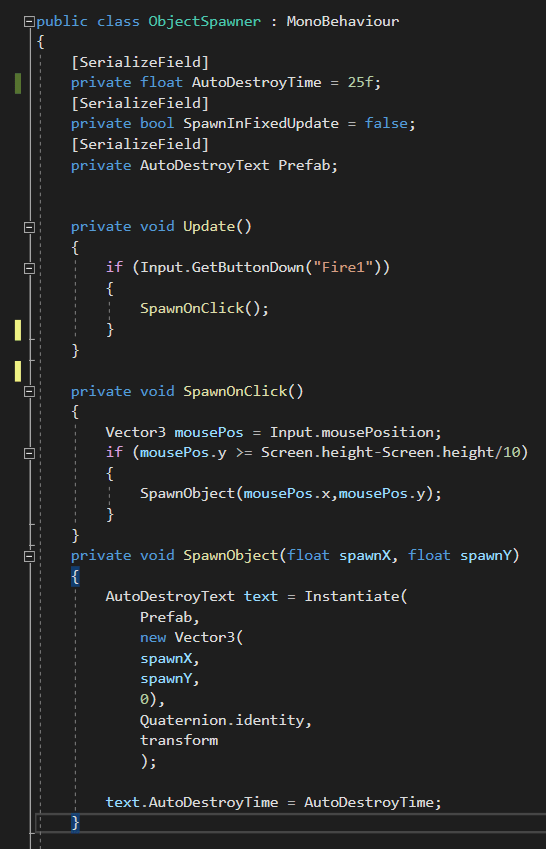
For the first time, I had to implement not one, but three scripts! From left to right we have AutoDestroyText, AutoDestroyMove, and ObjectSpawner. ADText is simply there to set the time it has left, display the time left, and destroy the textbox when said time is up. ADMove is there to set the speed to a random number based on the Max and Min options set in the script, then destroy the textbox after it reaches the bottom of the screen. Looking back at it, I could very much have put this code inside the ADText script, but I did not realize that at the time. Now for the file that does the heavy lifting, the ObjectSpawner script. This script was originally designed to spawn a textbox at a random location every update. However, I changed it to create a textbox at the location of the mouse anytime it registers a left click. Now you may be wondering why I have the SpawnOnClick event, instead of having it happen in the update command, and my answer to that involves accidental code that I edited. That being said, it keeps the actual Update event much cleaner, allowing me to see more clearly, what is happening.


 Maverick Learns