Hello, and welcome to my blog! Firstly, I’d like to give some background information of myself. I learned, back in High School, how to program in Java, some Visual Basic, Game Maker, and even in Flash, though that knowledge is sadly no longer relevant. Since then, I have not kept up with it, and have surely forgotten most of what I learned. That’s where the title of this blog comes in! I am learning, and partially relearning, how to write scripts! Follow along in my journey to learn with me, as I dive into Unity, and all it has to offer!
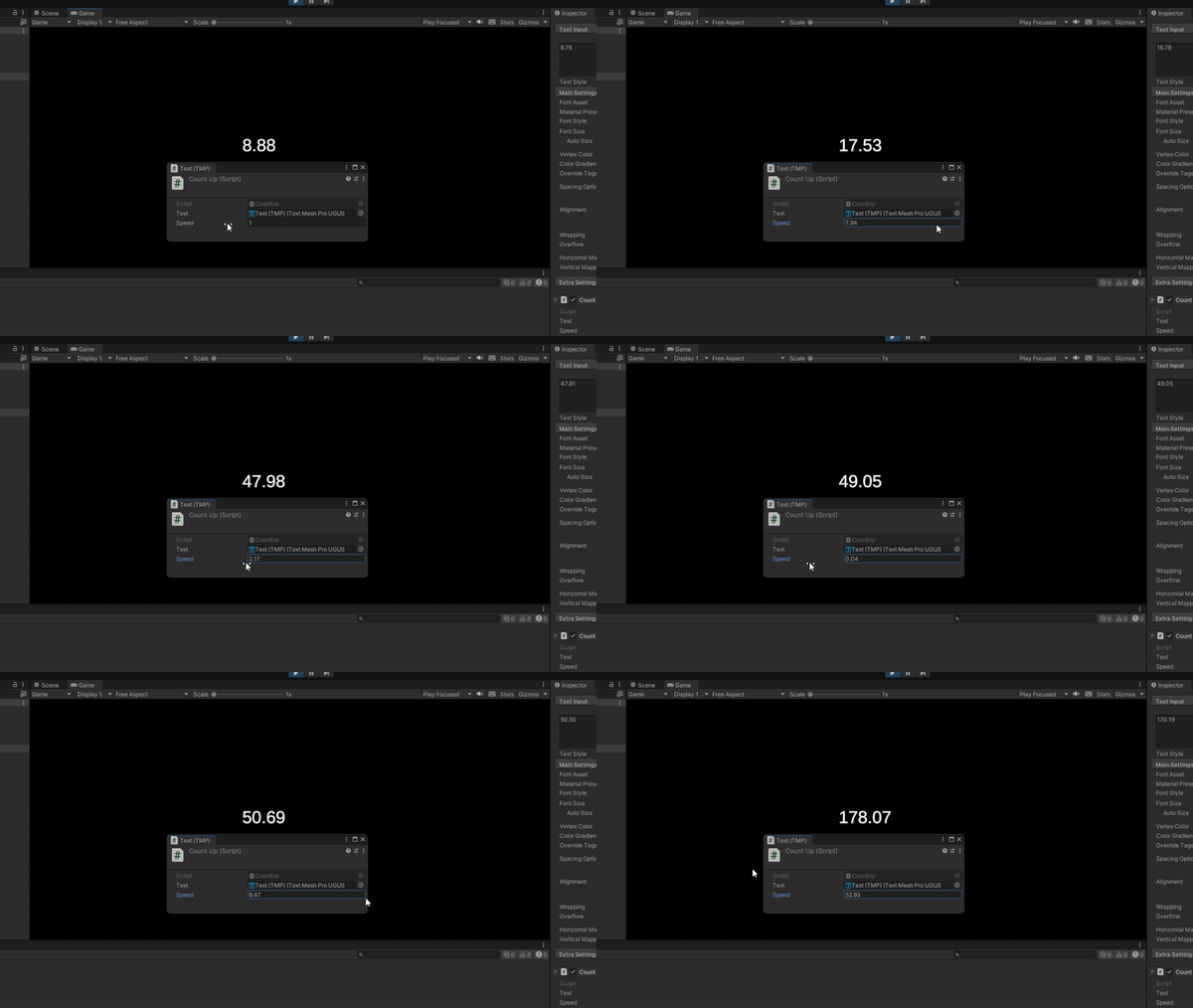
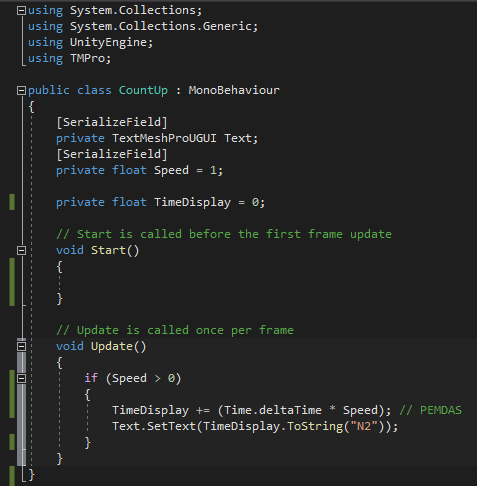
You may be thinking, “Wow, that’s so cool, how did you do this?” The answers simple, and it starts with a tutorial, here! That being said overall it was fairly simple, and super fun! For now, you’ll be following along my journey through tutorials, but soon enough I’ll be working on more advanced pieces! The script below is responsible for the image above, with some very simple programming! Adding the TMPro at the top allows for the script to connect to the Unity Text Box, then you see where I initialized the variables. Those are required for us to do pretty much anything. Next, I work with an if statement, which prevents the updates from happening when Speed gets reduced below zero. Within the if statement, we have the important bit. The first line adds the amount of time from one frame to the next, and we multiply it by the speed, to be adjustable. The second line takes that result, and sets the text box to that value, to the nearest 100th, which is what N2 means. N2 can be changed to the number of digits you need after the decimal point, such as N3 or even N9.
Thank you for reading and following along in my new journey, as I have a long way to go, and a lot to learn!
 Maverick Learns